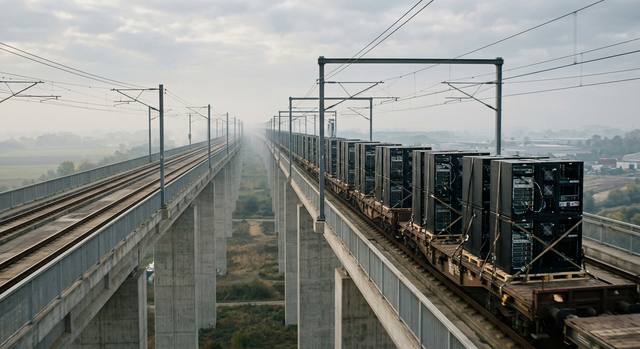
Most migrations don't fail on the move itself. They fail on what nobody mapped first.
Dependencies between systems are discovered mid-move, not before. "Lift and shift" carries old inefficiencies, and old costs, straight into the cloud. The landing zone and security baseline are treated as an afterthought. And because most teams haven't run a migration before, the budget ends up paying for the learning curve.
How it works
Map everything. Then move it at a fixed price.
A project with an end, followed by monthly care. You get a fixed quote for the move before any of it starts.
01
Stage 1: Assessment
Flat fee by estate size
Everything mapped before anything moves, ending in a fixed quote for the move itself.
02
Stage 2: Execution
Fixed fee per workload
The foundations first, then your workloads moved in planned waves.
03
Stage 3: Cloud Maintenance
Recommended
Monthly
Ongoing care of the environment once it's live.
What happens at each stage
Assessment
Inventory every workload and map its dependencies
Decide a strategy for each workload (see the 7 Rs below)
Design the landing zone and wave plan
Fixed Execution quote at the end
Execution
Governed, multi-account landing zone built before anything moves
Workloads moved in planned waves
Source stays live until the AWS version is validated; rollback documented for every workload
Move a whole virtualised platform to AWS without changing it.
Pricing: Fixed fee per workload
Refactor
R5
Re-architect it for cloud-native services.
Pricing: Always quoted individually
Retain
R6
Leave it where it is, for now.
Pricing: No move
Retire
R7
Switch off what nobody needs.
Pricing: No move
Every workload gets one of seven migration strategies. Refactoring is always quoted individually; the other moving strategies are a fixed fee per workload.
Pricing
A flat assessment fee, then a fixed price per workload.
Both are set by the size of your estate. Cloud Maintenance is a monthly base fee plus a rate per workload.
workloads
160
Your fees · Cloud MigrationPublished rates
Up to 10 workloads
01
Assessment one-off
£2,800
Flat fee for this band, not per workload
02
Execution one-off total
£5,600
8 × £700
Applies to Rehost, Replatform, Repurchase and Relocate. Refactor is scoped individually.
03
Cloud Maintenance monthly total
£1,394/mo
£850 + 8 × £68
Includes support Monday–Friday, 9:00–17:00 UK time
Estimate from our published rates. Your fixed price is confirmed in writing after the assessment.
Assessment
Cloud Migration Assessment fee by estate size
Estate size
Assessment fee
Up to 10 workloads
£2,800
11–25 workloads
£5,500
26–50 workloads
£9,500
50+ workloads
Contact us
Execution
Cloud Migration Execution fee per workload by volume
Volume
Fee per workload
Up to 10 workloads
£700
11–25 workloads
£600
26–50 workloads
£520
50+ workloads
Contact us
Each rate applies only to the workloads within its band.
Cloud Maintenance
Cloud Maintenance monthly rates
Component
Rate
Platform base fee
£850/mo
Per workload, 1–10
£68/mo
Per workload, 11–50
£54/mo
50+ workloads
Contact us
Each rate applies only to the workloads within its band.
What counts as a workload
One independently movable unit that moves in a single cutover, with anything that always moves with it
Rehost, relocate, replatform, repurchase, refactor, retire, retain — seven different things people mean when they say 'migrate'. A plain-language guide to the trade-offs, for the people in the room who aren't engineers.
When organisations start planning a cloud migration, 'lift and shift' often comes up early. The appeal is obvious: take what you have, move it to AWS without changing it. It is also one of the reasons migrations fail to deliver value.
It's one of the first questions that comes up when an organisation starts planning a cloud migration, and it's one of the hardest to answer honestly without knowing more. Here is a realistic roadmap.
AWS Migration Hub stopped taking new customers in November 2025. Here's what it did, what replaces it, and how to plan a migration to AWS now — without the old central dashboard.
We keep it to a brief, planned cutover window. Data syncs in the background first, so the switch itself is short.
How long does a migration take?
The assessment takes 2–6+ weeks. The execution timeline is quoted with the fixed fee, once the waves are scoped.
What counts as a workload?
One independently movable unit that moves in a single cutover, with anything that always moves with it.
What if a workload needs re-architecting?
We scope and quote it separately. It's never folded into a fixed per-workload fee.
How is our data kept secure?
It stays in your own AWS accounts, encrypted in transit and at rest, and the data flows are documented before anything moves. Every workload lands in a governed landing zone that we build first.
What if something goes wrong mid-migration?
We roll back to the source, which stays live until validation passes.
Can we take Cloud Maintenance without migrating with you?
Yes. Cloud Maintenance is available on its own to any AWS customer.
What are your support hours?
Monday–Friday, 9:00–17:00 UK time. If you need round-the-clock cover, ask on the call.
We reply within one business day
Know what your migration will cost before anything moves.
A free 30-minute call is enough to see whether an assessment fits.